


Network-controlled stage winch
WX2512
Bring your production into motion.
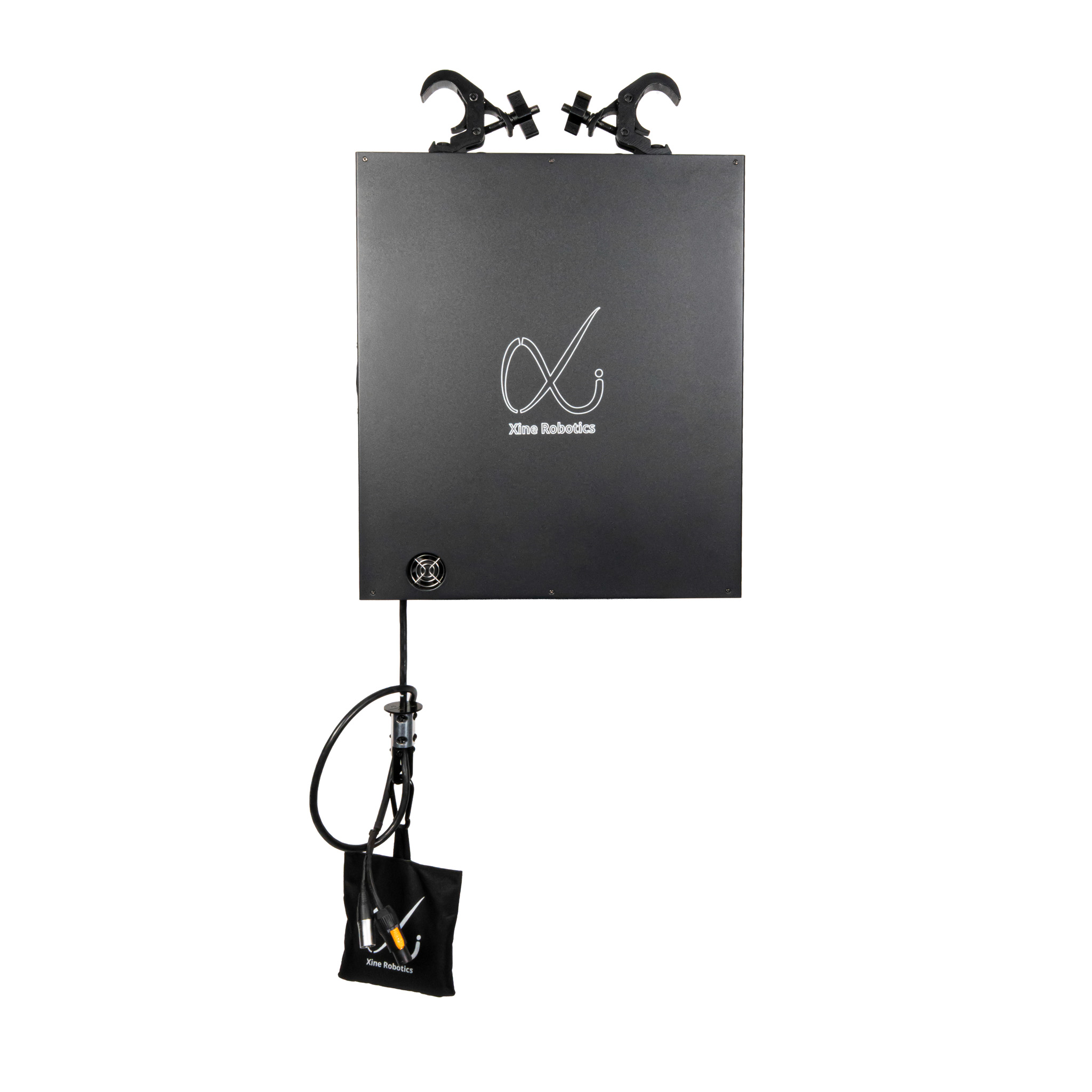
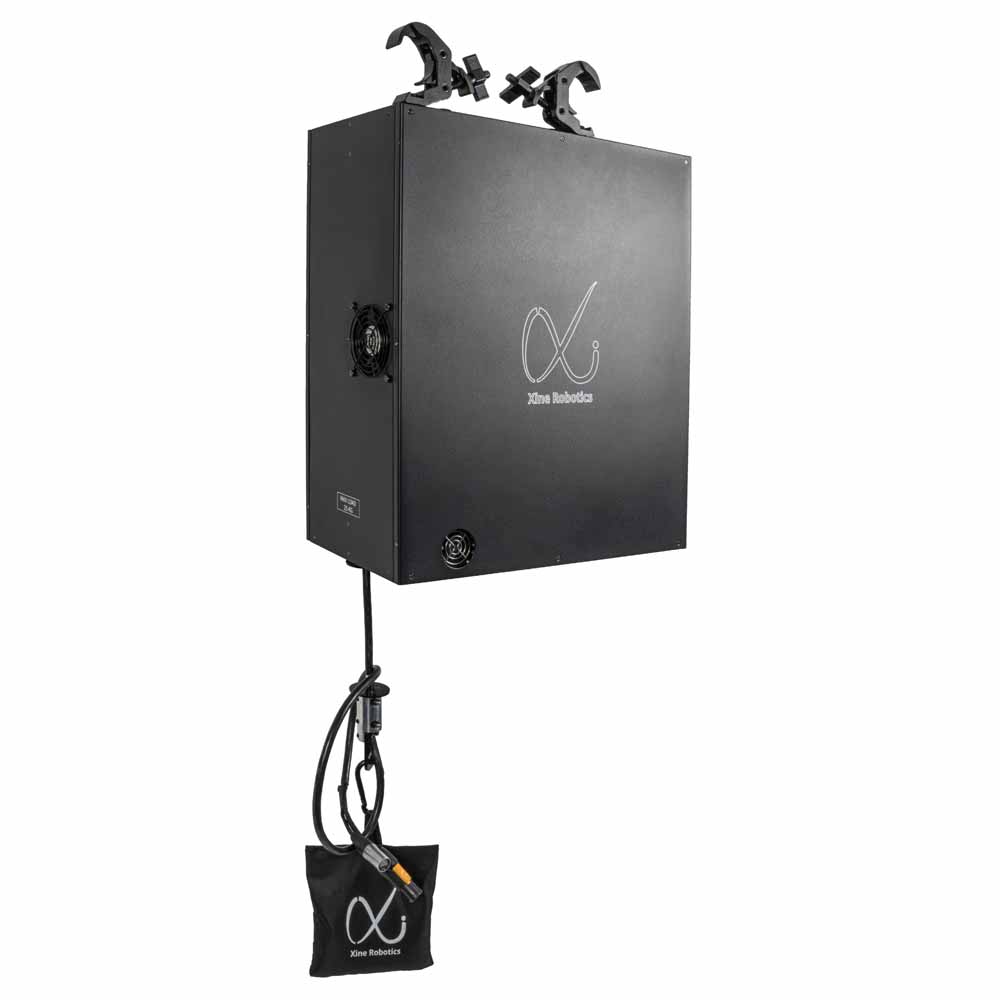
Explore the complete unit, an angled view and the connection panel.
See WX2512 in productionMove lighting and scenic elements with a winch designed for professional productions. Integrate motion into your DMX, Art-Net or sACN setup, with power and data connections for suspended devices.
25 kg
Maximum load
12 m
Maximum travel
1.2 m/s
Maximum speed
Specify the complete system for your load, travel and operating conditions. Consult the documentation before installation.
Designed around your workflow
Your control setup. A new dimension of motion.
Control
Use your production network
Control movement through DMX, Art-Net or sACN alongside the rest of your production.
Positioning
Program the movement
16-bit DMX positioning resolution supports detailed movement cues across the 12 m travel range.
Safety
Plan safety into the system
A 24 V safety loop connects the winches and safety components as part of the complete installation.
Integration
Connect the suspended load
Power and data feed-through connections support fixtures and devices below the winch.
WX2512 in production
Tomorrowland 2025 / Freedom Stage
420 WX2512 winches. 210 LED panels. One coordinated production.
At Tomorrowland 2025, the Freedom Stage installation paired two WX2512 winches with each of 210 PixelScreen AR209 LED panels. Explore the collaboration behind the motion, control and visual content.
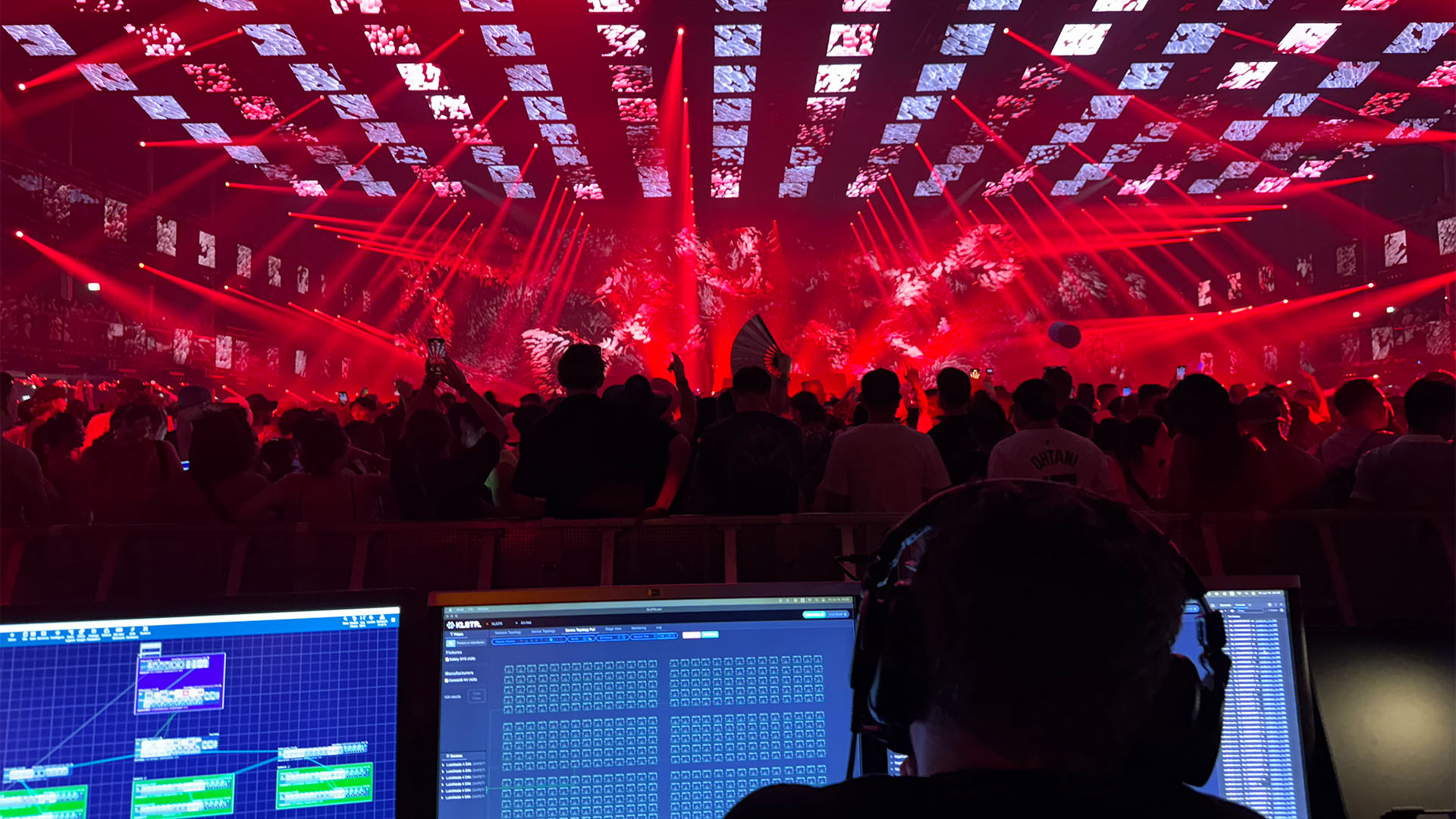
Show-control position overlooking the suspended panel installation.

Suspended rectangular elements arranged at different heights.
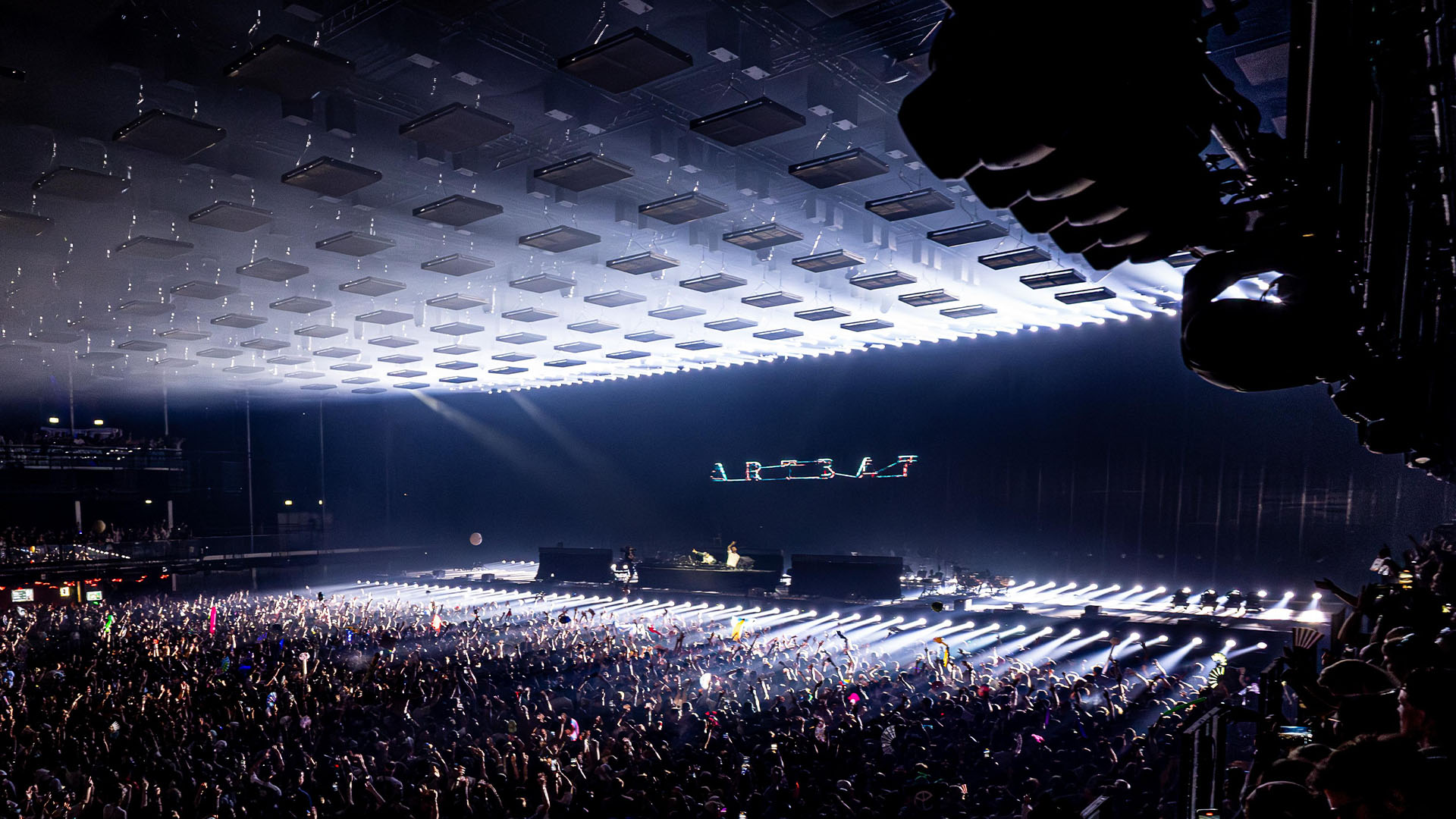
A wide view of the suspended panel array and stage lighting.
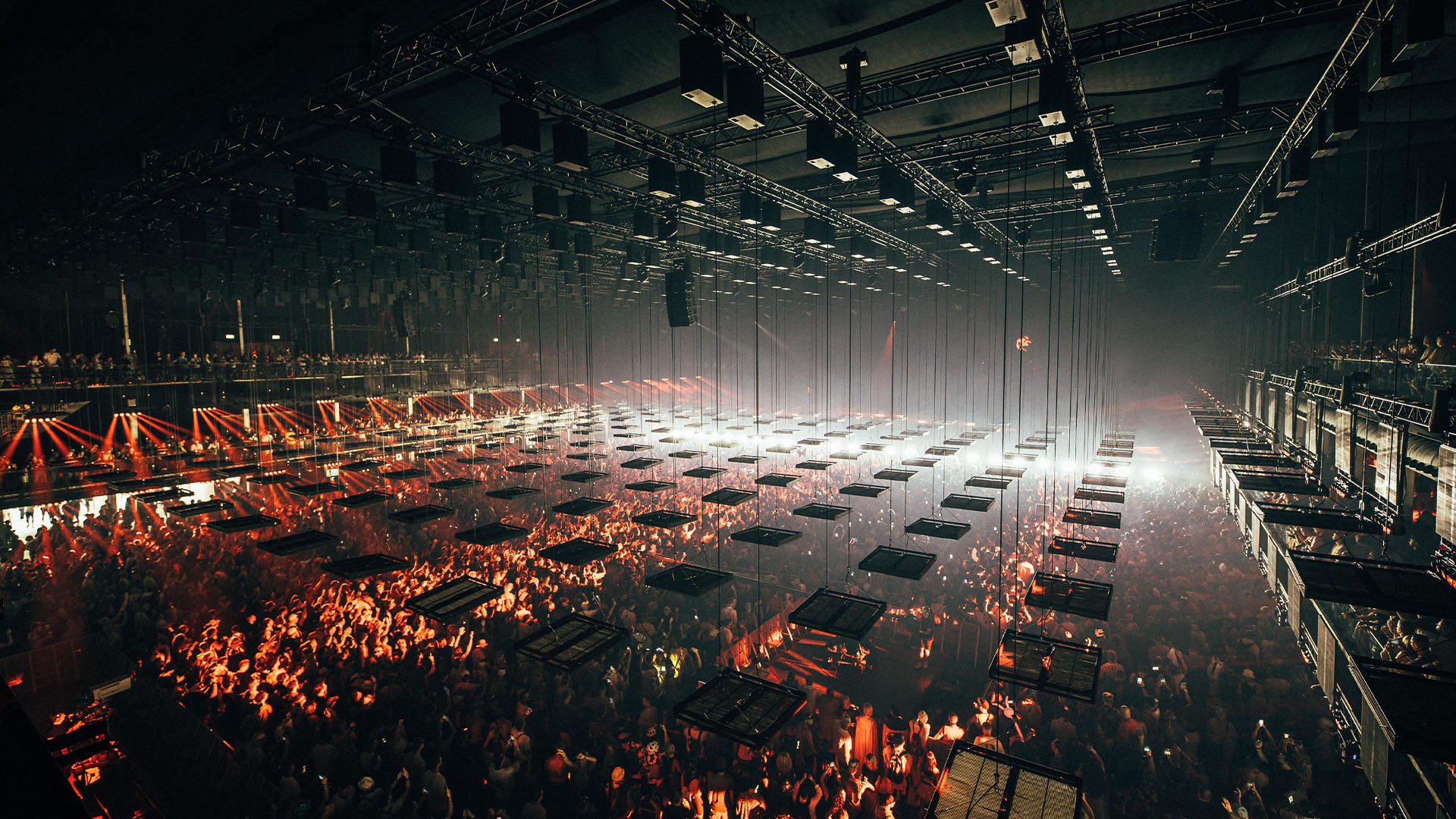
Rigging and suspended panel layout viewed from above.
Technical overview
Technical specifications
WX2512 technical data from user manual v1.4 (Aug 2025). Values below follow the Technical Specifications table and related connection and safety sections.
Performance
Model
Xine Robotics DMX Winch
Type
WX2512
Max lifting capacity
25 kg (55.1 lb)
Min lifting capacity
2 kg (4.4 lb)
Max lifting height
12 m (40 ft)
Max lifting speed
120 cm/s (47.2 in/s)
Noise emission
≤40 dB at 1 m (3.3 ft)
Duty cycle
Servo motor can run 24 hours at full load
Power, control and connectivity
Power supply
200–240 VAC, 50–60 Hz (110 V requires customization)
Power consumption
750 W
Motor
230 VAC, 750 W servo motor
Control
DMX, sACN, ArtNet, KLSTR
DMX connection
5-pole XLR (F/M)
Control connection
3 × Neutrik EtherCON network ports
Feed-through connections
PowerCON NAC3M / NAC3F and EtherCON
Smart links
3-pin XLR male/female for master-slave use
Positioning resolution
16-bit DMX, 65,536 steps
Dimensions and rigging
Weight
36 kg
Dimensions
235.20 × 461.40 × 552.40 mm (L×W×H)
Mounting clamp
2 × slim eye coupler, 42–52 mm (2 in)
Installation
Flat surface or truss; wire exit points downward
Dimensions, weight and mounting data are reproduced from the WX2512 user manual v1.4.
Safety, wire and operating conditions
Safety-loop voltage
24 V
Safety links connection
6-pin XLR male/female
Safety-loop capacity
Maximum 15 winches or 7 dual winches per loop
Emergency stop integration
External E-stop buttons connect to the safety boxes
Ambient temperature
5–40 °C (41–104 °F)
Area of use
Indoor use only; do not expose to rain or moisture
Lifting wire
3 mm (1/8 in), 19×7 galvanized steel wire (EN 12385-4)
Minimum breaking load
588 kg (5766 N / 1296 lb)
Wire safety factor
>10
Fleet angle
None
Fleet travel
83 mm (3.3 in)
Refer to the WX2512 user manual for installation, safety, stopping behavior and inspection requirements. This table is a technical overview, not an operating guide.
Control and safety
Understand the system behind the movement.
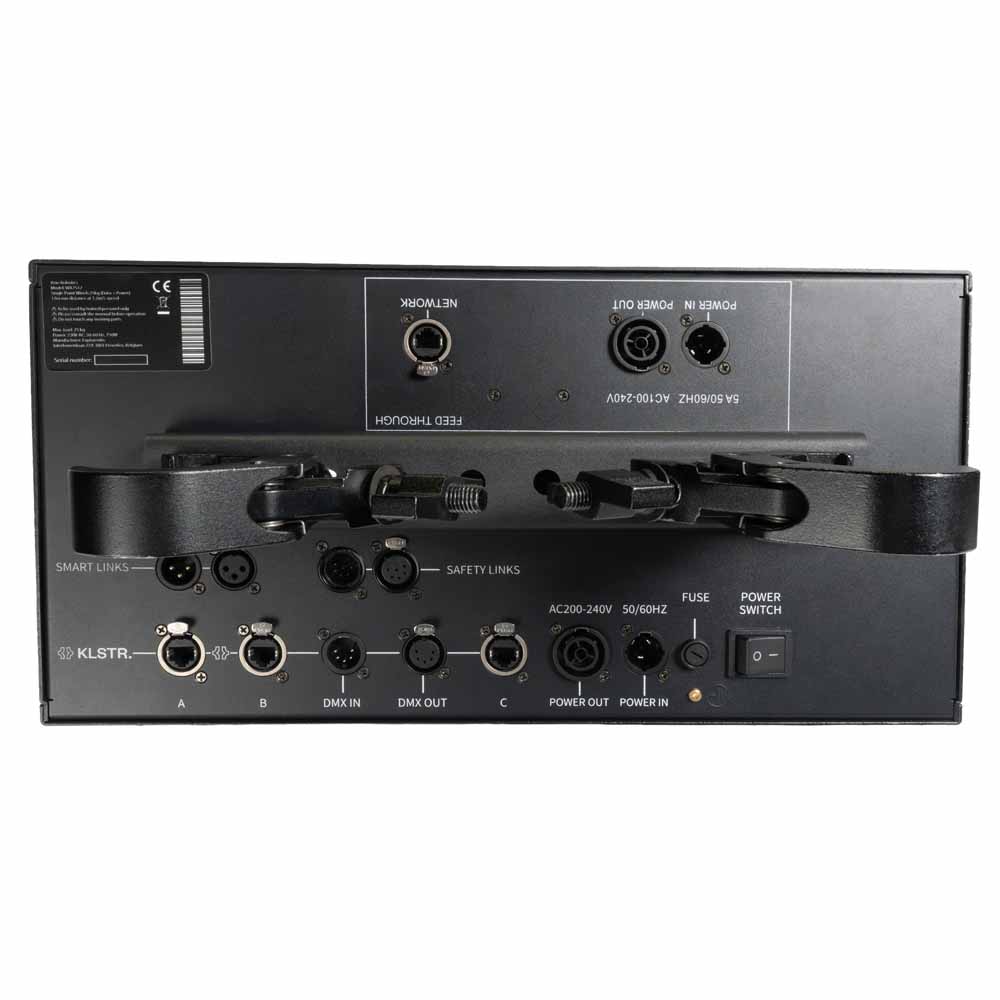
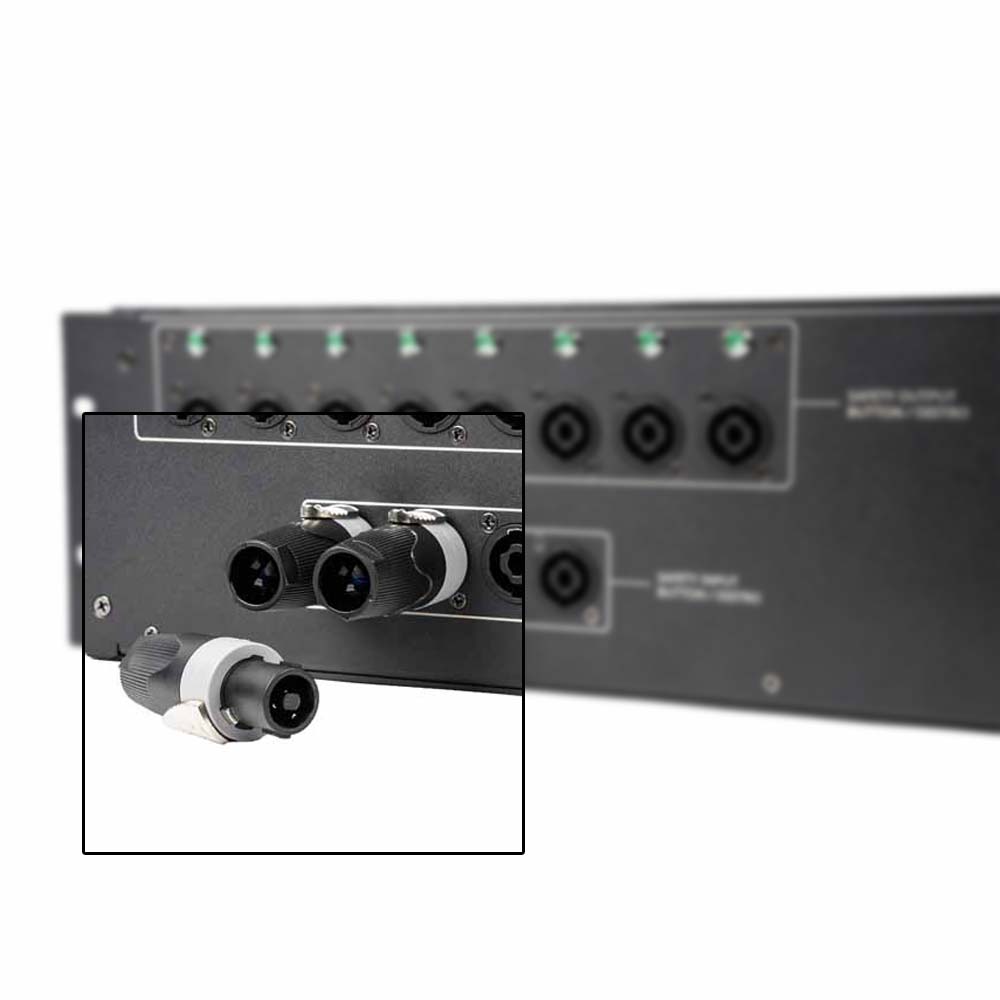
A closer look at the WX2512 connection panel and mounting hardware.
Configure, integrate and monitor
WX2512 combines KLSTR.one technology with network configuration through KLSTR.ctrl. Bring movement into familiar light and video control workflows, with monitoring of motion parameters across the installation.
Keep motion control and safety distinct
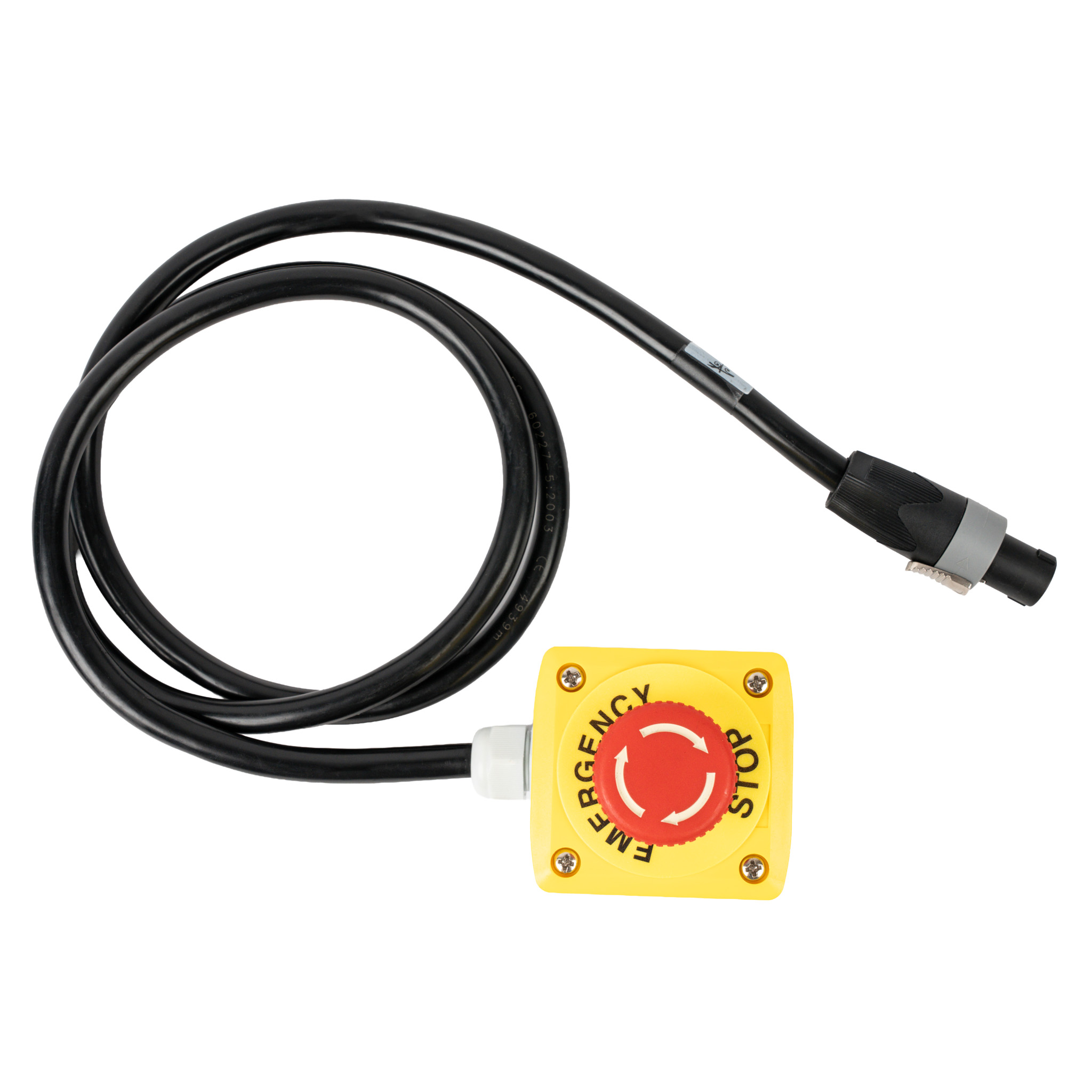
The 24 V safety loop links the winches and safety components. Plan the safety system alongside the control network, and follow the documented installation, testing and operating procedures for the complete configuration.
Documentation and setup support
Use the product documentation for connection requirements and stopping procedures. Ask the team about system planning and technical training before putting a configuration into service.
Open the WX2512 user manualBuild your system
The winch is one part of the installation.
Plan the control network, safety components and cabling together. The required components and quantities depend on your installation; confirm the included and separately supplied items in your system quotation.
Motion-control path
Production controller / network / winches
Your show-control setup provides the movement commands. Network configuration and monitoring support the connected winches.
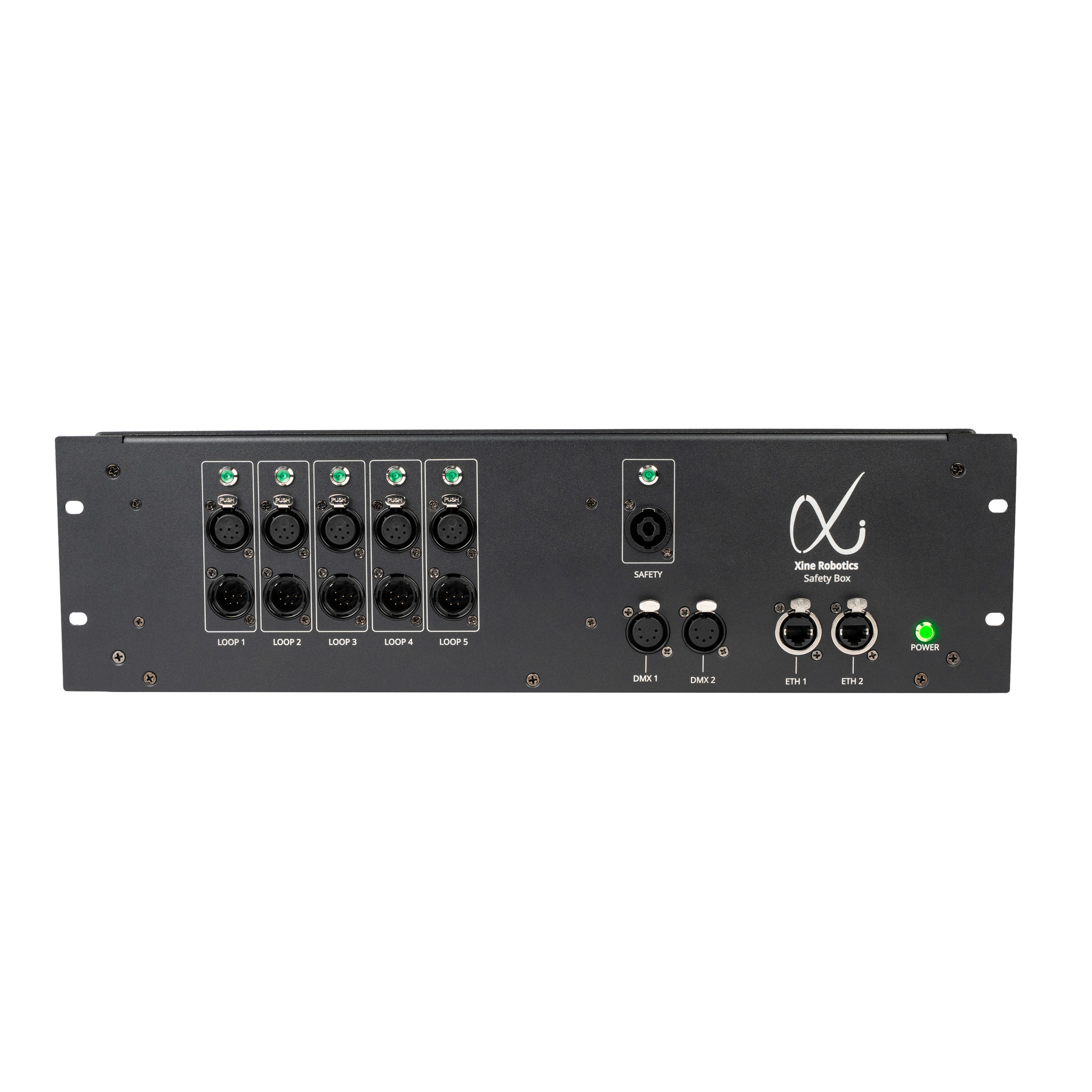
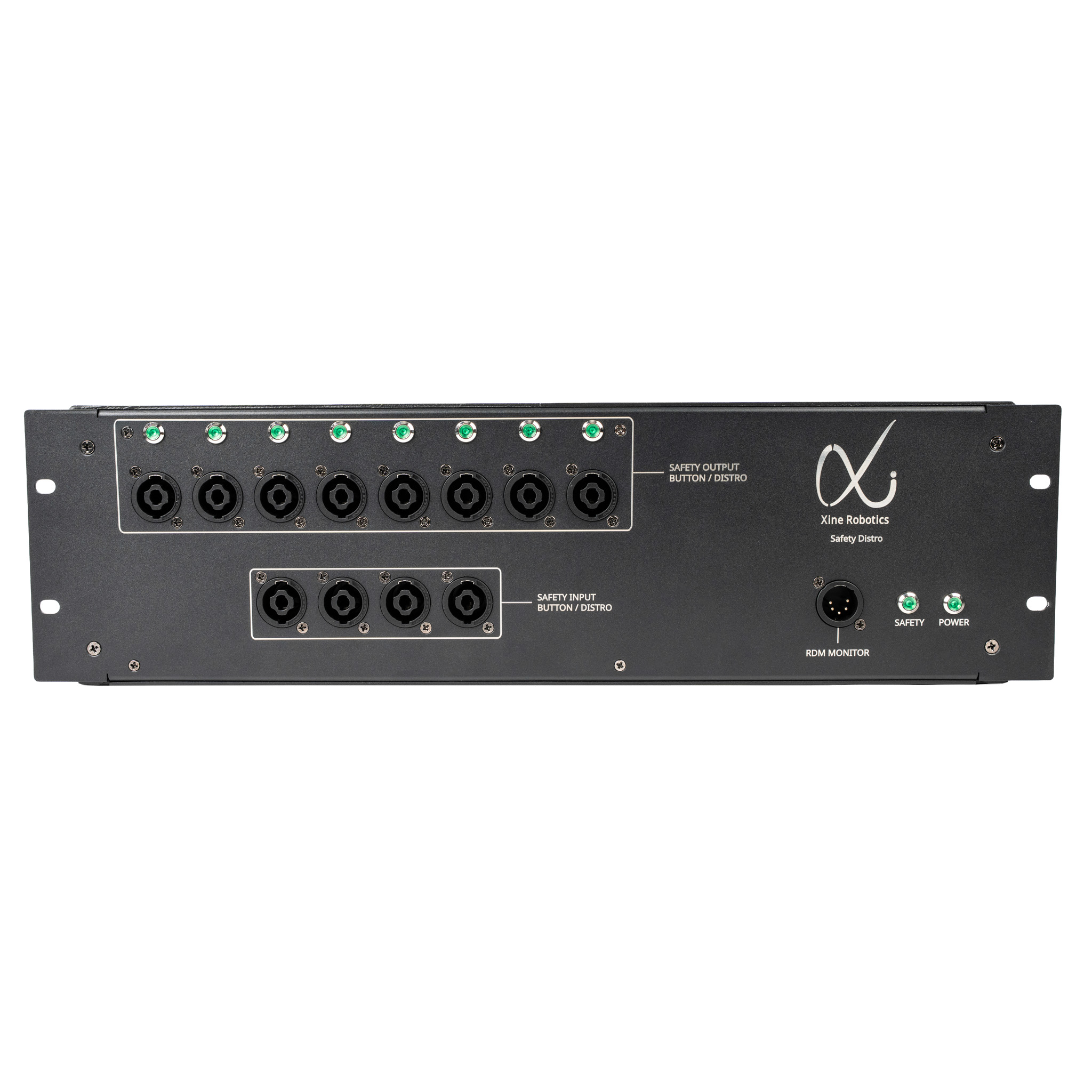
Safety system
Safety components / 24 V loop / winches
Dedicated safety components and cabling form part of the safety-loop setup. Confirm the topology and connection requirements in the installation documentation.
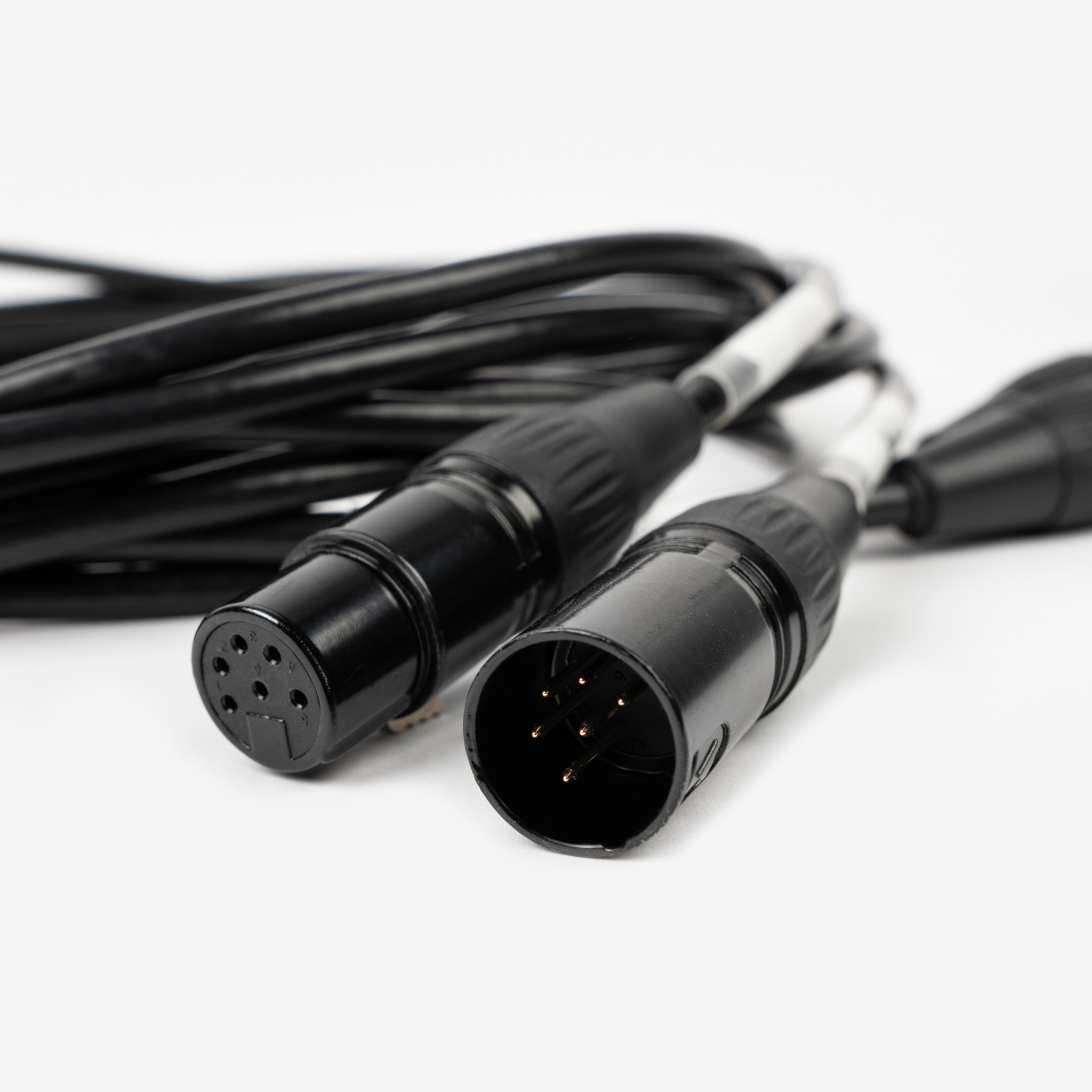
Conceptual system overview only, not a wiring diagram. Components below are shown for system planning, not as a statement of package contents.
Downloads and support
The details, without the search.
Access the existing product documents directly. For a project-specific equipment list, operating guidance or training, contact the team.
Xine Robotics brochure
Product overview / PDF / approximately 3.2 MB
WX2512 user manual
English / Version 1.4 / PDF / approximately 1.9 MB
System planning and training
Discuss your equipment configuration, operating guidance and technical training requirements.
Planning your installation
WX2512 questions, answered.
Which control protocols does WX2512 support?
WX2512 supports DMX, Art-Net and sACN. The system also uses KLSTR technology for network configuration and monitoring. Confirm the control configuration for your installation with the team.
What equipment should I include in my quotation?
Ask for an itemised system quotation covering the winches, safety components, cabling and mounting requirements for your project. Confirm which items are included and which are supplied separately before ordering.
Can I discuss rental as well as purchase?
Use the Where to Rent and Where to Buy pages to contact listed partners. Availability and the equipment package should be confirmed directly for your project dates and location.
Find a rental partnerWhere can I get installation and operating guidance?
Start with the product manual in Downloads. Contact Xine Robotics to discuss system-specific questions or technical training. The product-page overview does not replace the installation and operating documentation.
Go to downloadsYour next production
Specify WX2512 for your next production.
Tell us about the load, travel, control setup and number of winches you have in mind. Discuss a quotation, rental options or technical support with the team.
This enquiry is for WX2512. Include your project location and dates so the team can understand the setup.
info@xinerobotics.onePrefer to contact the team directly? Email info@xinerobotics.one and include WX2512 in the subject.

